
Are you looking for a solution to migrate from Movable Type to WordPress without loosing any permalink? Do you need to import in WordPress your Movable Type tags? Continue reading, this post contains the solution to those problems.
Feel free to skip to the end of the post if you don’t care about the story behind the Movable Type Importer Utilities library.
The story
I have been using Movable Type since I opened the first version of this blog, in 2005. At this time Movable Type was so far the best not-hosted blogging platform.
Time passes and things change. In the last couple of years WordPress development team did an excellent work and the latest WordPress 2.7 branch is an authentic masterpiece. The only plugin manager and the auto-update feature worth the full platform.
At the beginning of this year I migrated my Italian blog from Movable Type to WordPress and I opened the English version. While creating a new blog from scratch has been a piece of cake, migrating the existing blog required careful planning to avoid loosing visibility and popularity on search engines.
Moreover, all my Movable Type entries were carefully tagged and categorized. Easy to understand, preserving tags and categories was one of my migration constraints.
Here comes the problem
WordPress comes with a powerful Movable Type and TypePad imported but unfortunately this tool lacks two important features: it doesn’t migrate your Movable Type tags and it doesn’t take care of your old post permalinks. What a nightmare!
I tried to solve those problems in many different ways and I ended up creating my own importer integration. After a couple of months of incubation, this morning I finally had the time to write a small documentation and release the package.
Movable Type Importer Utilities is the solution
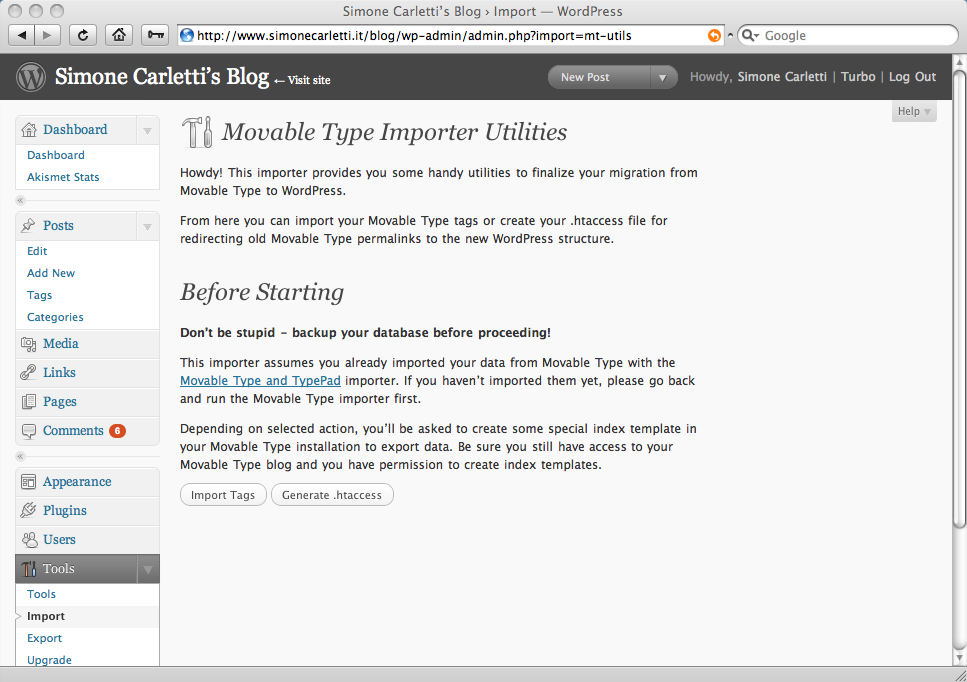
The Movable Type Importer Utilities repository is available on github. The project is called wordpress-mtimporter and it’s released under the GNU General Public License, the same as WordPress. Perhaps someone at WordPress will notice this package someday in the future and integrate it into the main WordPress release.
Feel free to fork, edit and contribute to the project. Let me know if this project helps you in some way!
In the following day I’m going to post some step by step tutorial to demonstrate how to migrate from Movable Type to WordPress without loosing any permalink or how to import in WordPress your Movable Type tags.
Overview
Movable Type Importer Utilities is a small collection of utilities to finalize your migration from Movable Type to WordPress.
It is not a replacement for the official Movable Type and TypePad importer but provides additional tools not available in the original library shipped with WordPress 2.7.
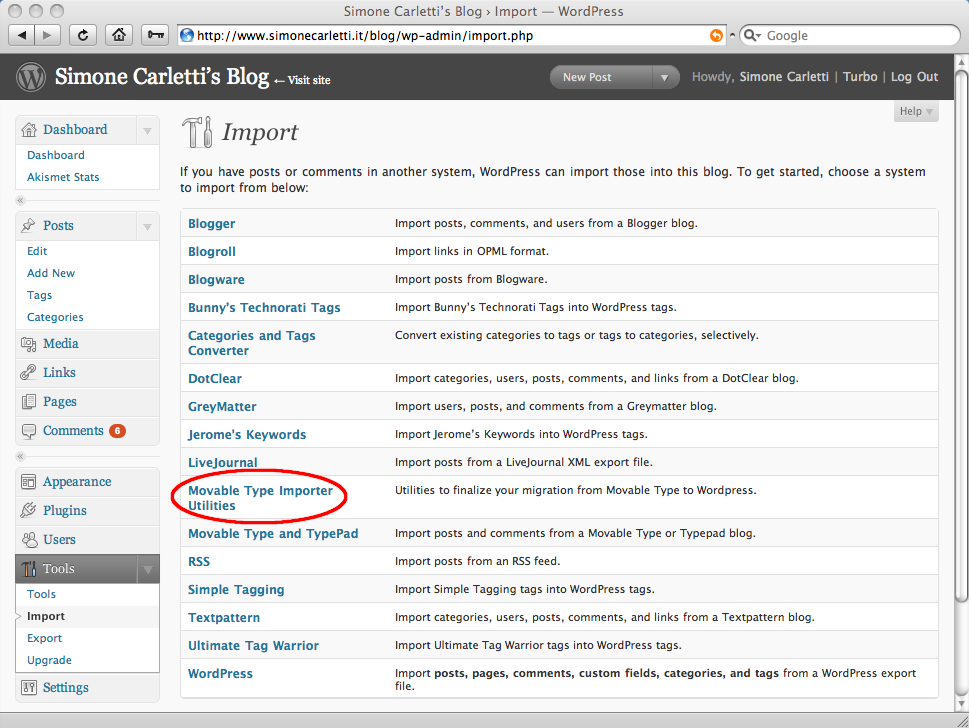
The .htaccess generator creates an Apache .htaccess configuration file to redirect all your MovableType entries to the corresponding WordPress posts.
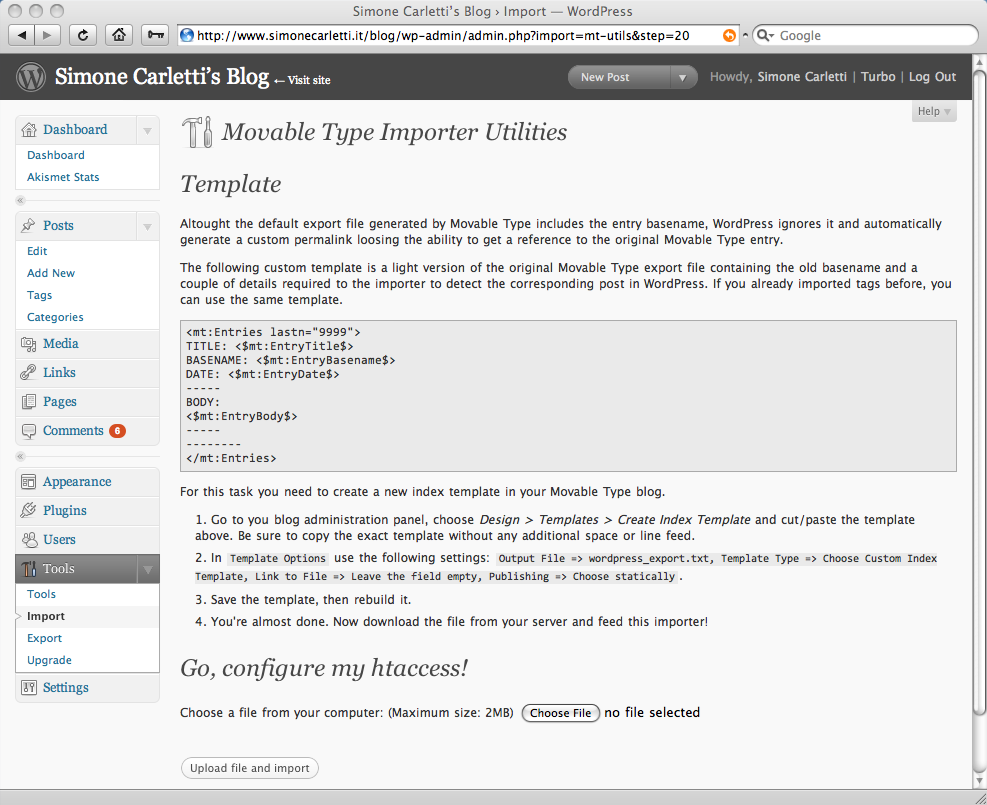
The tag importer solves the problem of importing in WordPress all your Movable Type tags. According to the resources linked from the official WordPress documentation, this is one of the most painful downside. Thanks to the tag importer, this is no longer a pain in the ass!
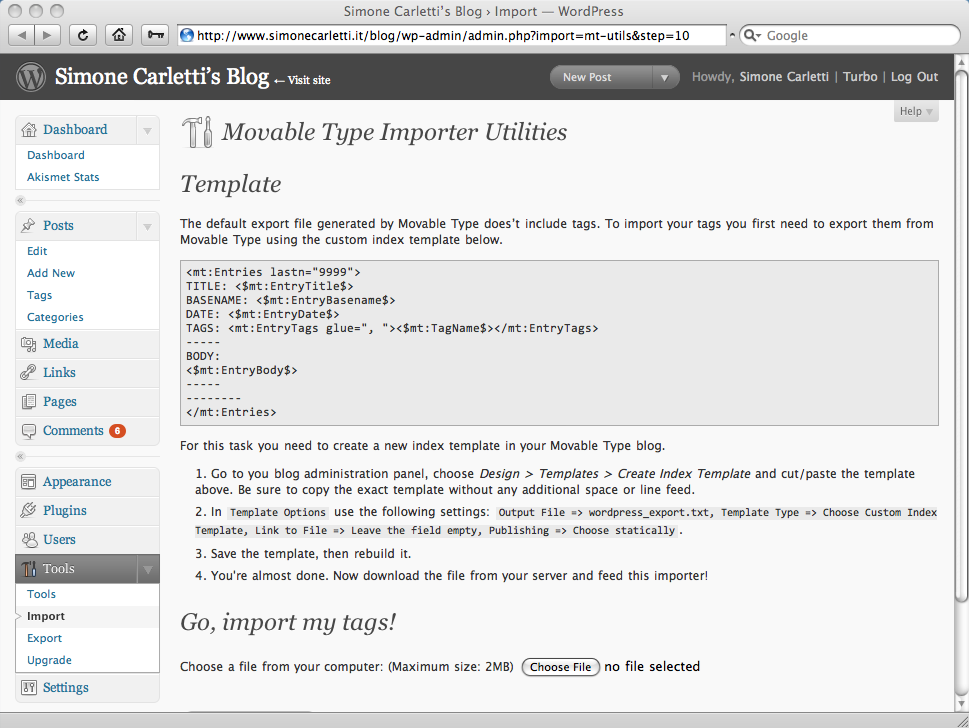
For further details and the full documentation please visit the wordpress-mtimporter project on GitHub.


Grazie Grazie Grazie per questa splendida utility che mi ha permesso di importare oltre 2000 entry dal mio vecchio MT a WP!
Ho dovuto sistemare un po’ a manina l’.htaccess (avevo un formato di esportazione dei nomi file molto personalizzato) ma senza questo set di utilities avrei perso un sacco di tempo per sistemare tutto.
:-)
Thanks for making this available. If you’re looking to improve it, it’d be nice if the .htaccess generator could deal with the Entry ID numbers that were the default in earlier versions of Movable Type, rather than only working with the basenames. Older MT blogs tend to have some or all of their entries using the older format (which was once the only option).
[...] Es decir, que tengo un fichero enorme con cada dirección antigua y al lado cuál es la dirección moderna con la que se corresponde. Para hacer esto más cómodo me fue de mucha ayuda esta utilidad para Movable Type. [...]
You are a god. Thank you.
Currently my organization is trying to transfer from typepad to wordpress, and having a horrific time with the exporting of old posts.
I was trying to use your importer and I can’t go beyond step 2.
Any help you can provide would be greatly appreciated.
I’m sorry but I don’t know how Typepad works.
[...] part of my site structure and I didn’t want to retag all my entries. Instead, I used the Movable Type Blog Import Utilities written by Simone Carletti to bring them [...]
[...] Per completare l’importazione dei tags dovremo avvalerci del plugin per WordPress realizzato da Simone Carletti. [...]
I’ve got a MT export of 11,000 posts that I’m trying to migrate, and while I’m very impressed with your script, my needs are a bit different. Rather than building an .htaccess file (would that even be reasonable with 11,000 redirects?), I have to keep this WP install on IIS, so .htaccess is useless.
What would solve everything would be for the MT entry key to get mapped to the WP post_id during import (rather than having WP generate new ID’s).
I’ve already modified the MT template to include the ID in the exported file.
There used to be a hack for WP 2.0 to migrate the post ID’s but it doesn’t work with 2.9. Your importer script is the closest thing I’ve seen to a solution. Would you at least be able to help me tweak the current core import script to map the MT keys to the WP post_ID?
I’m in the midst of moving over from MT to WordPress; should happen in the next while.
I found this tool; looked promising, but it refused to import tags for about 90% of my entries.
I kept trying and trying; discovered that if I used WordPress 2.7 instead of 2.9.2, that it would import them fine.
So setup your blog with 2.7, import using the tag tool, and then upgrade WP
Thanks for sharing your feedback, Jim.
Perhaps something changed in the meantime in the WordPress codebase which prevents the tool from working properly.
I’m an idiot!! I upgraded before fully researching the impact and now I can’t complete the install. Any ideas how to get this to work again in WPv3?
Grazie ma per me ancora non funziona…
Does it require a more recent version of MT than 3.3? I am trying to move a blog from MT 3.3 to WP and so far, am not able to successfully use this plugin. When I upload the file generated by MT as per the instructions, I get an error message:
# ** Warning ** Post not found.
But there does not seem to be anything in the file other than the cut and pasted script – it is only 1 KB. In MT, as I went through the process, I noted that there is:
No choice for “Design/templates”, just “Templates”
No option for “Custom Index template” – just “create new index template”
If I use title “wordpress_export.txt”, when it is imported to WP, the end of the file name is “.txt.txt”
There is a field for “link to file”, left empty as instructed
The option for publishing “statically” is found in “Settings” (“Build all templates statically)
Does it make any difference whether the box is checked to rebuild the template automatically when rebuilding index templates?
Or whether just the file or the entire site is rebuilt? (I tried both and got the same result)
Is there a way to import tags from a TypePad site? They’re basically under the same umbrella, but the MT template you use isn’t going to work for me. Please let me know!!
Thanks.
Simone,
First, thank you very much for your work on this. From the .htaccess function I have been able to update IIS redirects and update URLs in Disqus. Truly, I couldn’t have moved my sites without this tool.
However, I recently upgraded to WPv3 and found the wp-admin/import folder has been removed or . It appears the import functions are now plug-ins. Do you have advice regarding where this function could be installed?
Unfortunately, I didn’t have the time to explore WP 3 yet.
Have you been able to review yet? The utilities are basically broken.