The advent of Object#returning first, and Object#tap consequently, quickly led to a very common and elegant pattern in the Rails community to scope a variable to a block in your template code.
Here’s a simple .erb file.
<% "Simone".tap do |string| %>
Hello, <%= string %>.
<% end %>
Once executed, in Rails 2.3, the template renders the following content
Hello, Simone.However, due to some internal changes in the way Rails 3 handles block helpers, the same template in Rails 3 renders the following content.
Hello, Simone.SimoneHere’s a live example, yielding the String “USD”.
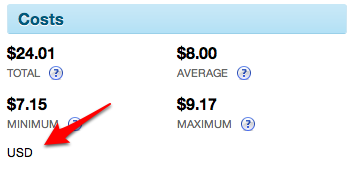
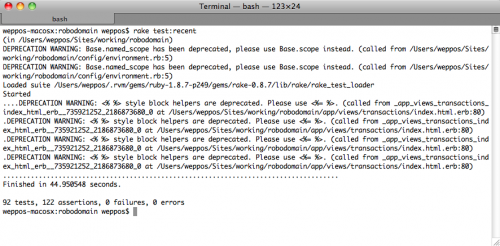
The same statement also causes the following deprecation warning:
DEPRECATION WARNING: <% %> style block helpers are deprecated. Please use <%= %>.
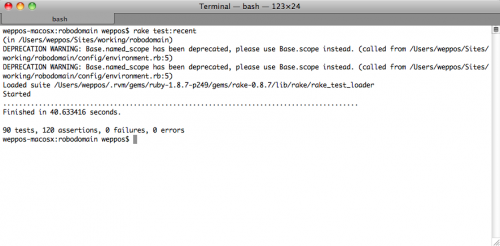
The problem here is the Rails 3 compatibility layer which is responsible to help you migrate your code from Rails 2.3 to the new Rails 3 syntax. Apparently, whenever you are using a block which returns a non-nil value, the compatibility layer classifies this behavior as a legacy block helper style.
In the meantime, until a real solution arrives, you can use the following workaround.
I defined a new method, called Object#yielding, which relies on Object#tap but returns nil instead of self.
class Object

  # Object#yielding is similar to Object#tap,
  # but returns nil instead of self.
  def yielding(&block)
    tap(&block)
    nil
  end

end
Here’s a basic test suite.
require 'test_helper'

class ExtensionsRubyObjectTest < ActiveSupport::TestCase

  test "#yielding should return nil" do
    assert_equal nil, "Hello!".yielding { |string| string }
  end

  test "#yielding should yield self" do
    "Hello!".yielding { |string| assert_equal "Hello!", string }
  end

end
Then, replace your template to use Object#yielding.
<% "Simone".yielding do |string| %>
Hello, <%= string %>.
<% end %>
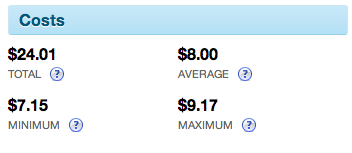
The USD string no longer appears in the template.
As expected, the deprecation warnings also disappear.